
Tips for keeping your hard drive clean and avoiding errors
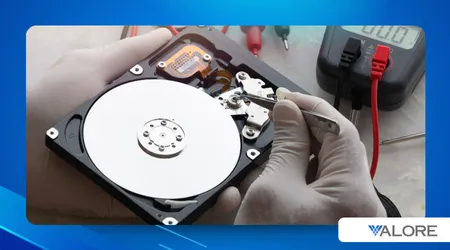
In the digital ecosystem, where speed and storage are critical, the ability to Keep your hard drive clean and avoid errors It becomes an essential skill.
Advertisements
A hard drive is the heart of our system; if it is saturated or disorganized, overall performance plummets.
Can we really afford to ignore this vital maintenance and continue operating at half capacity?
A computer's performance doesn't depend solely on its processor or RAM. The health of the storage, whether it's an HDD or the popular SSD, has a direct impact.
A congested hard drive forces the system to work harder. Program loading and access to important files are slowed down.
Advertisements
This not only causes frustration but also shortens the lifespan of the hardware. Adopting a proactive mindset is essential today.
How Does Clutter Affect the Lifespan of Your Hard Drive?
Unnecessary files act as a hindrance, preventing the efficient execution of tasks. On a hard drive, clutter increases fragmentation and read/write head seek time.
For SSDs, although they don't fragment, insufficient free space impacts block management. Excessive temporary files stress system memory.
Inefficient management accelerates disk wear.
For the advanced and conscious user, basic tools are no longer enough. Today we require a smart and multifaceted cleaning strategy.
++10 WhatsApp tricks that few people know
This encompasses everything from operating system configuration to obsolete data management. Cleanup is not a one-time event, but an ongoing process.
Which Native Windows Tools Are Essential?
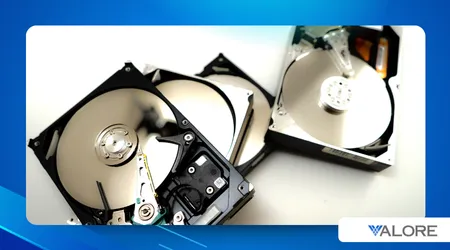
Windows 10/11 offers powerful, often underestimated utilities. Storage Sensor It is a discreet and efficient ally.
This feature automates the removal of temporary files and junk. Set it to run weekly and you'll see the difference.
Why is uninstalling inactive programs a priority?
Many programs, even when uninstalled, leave traces in the registry and residual files. These digital "living dead" consume valuable resources.
A quarterly review of the program dashboard is mandatory. Use tools that detect and completely remove these residual programs.
++Complete guide to clean and optimize your notebook step by step
What is the role of temporary files and caching in slow performance?
Temporary files are essential for operations, but they quickly become obsolete. Browser and application caches accumulate uncontrollably.
Cleaning these folders instantly frees up gigabytes of useless space. In many cases, it's the quickest solution.
The real secret to Keep your hard drive clean and avoid errors It lies in optimization. It's not enough to simply delete; you have to organize and configure the system.
A well-optimized hard drive works less and better.
How to Differentiate Optimization Between HDD and SSD?
++Recommended cleaning tools for PC gamers
Here the distinction is crucial and ignorance can be costly.
| Unit Type | Key Action | Recommended Frequency | Danger to Avoid |
| HDD (Mechanical Hard Drive) | Defragmentation | Monthly | Avoid defragmentation if it is an SSD |
| SSD (Solid State Drive) | TRIM Command and Free Space Management | Continuous (Automatic) | Fill it beyond the 80% capacity |
For SSDs, defragmentation is counterproductive, as it generates unnecessary write cycles. Ensure that the TRIM command is enabled in your operating system.
What Does Intelligent Management of Large Files Entail?
Identify and move the largest files you don't use daily, such as old project documents, high-resolution videos, or backups.
Storing them on external drives or in the cloud reduces the load. This keeps the main drive agile and responsive.
++What are the best hard drive maintenance practices to prevent failures?
Imagine a video editor that keeps all your finished 4K projects on your main SSD.
Moving those 500GB files to a NAS or external storage drive frees up critical space for active projects. This is smart optimization.
Why is Predictive Maintenance the Future?
According to a 2020 study by the consulting firm IDC, the downtime Unplanned failure is caused in a 34% by the aging of the equipment, with mechanical failure being the second leading cause in a 20%.
This underscores the need for predictive maintenance. SMART (Self-Monitoring, Analysis and Reporting Technology) tools monitor disk health.
Reviewing these indicators prevents catastrophic failures.
Data from 2024 from Backblaze, a cloud storage service, indicates that even on enterprise-grade disks, the annualized failure rate (AFR) can vary significantly.
In some specific HDD models, the AFR can exceed 6% after three years of continuous use. Preventative maintenance drastically reduces this probability.
Think of your hard drive as a walk-in closet very broad, but without organization.
Even if you have plenty of space, if everything is scattered and mixed up (temporary files, downloads, residual installations), finding that pair of pants or shirt you need becomes a long and frustrating odyssey.
The cleanliness and organization allow the operating system to "find the pants" almost instantly.
Keeping your hard drive clean and avoiding errors: Conclusion
Cleaning your hard drive goes beyond simply freeing up space; it's an investment in longevity and performance.
Adopting advanced techniques and intelligent automation ensures that our digital environment is fast and reliable.
Proactive prevention is always cheaper than data recovery. It's time to give our hard drive the care it deserves. Keep your hard drive clean and avoid errors.
Frequently Asked Questions
How Often Should I Do a Deep Cleaning?
It is recommended to review large files and inactive programs every three months. Cleaning temporary files and using Storage Sense should be done weekly.
Is defragmentation necessary on an SSD?
No. Defragmentation is harmful to SSDs because it uses unnecessary write cycles. The operating system automatically manages optimization using the TRIM command.
Is it safe to delete the "Windows.old" folder?
Yes. This folder contains files from the previous operating system installation and takes up a lot of space. Storage Sense can safely delete it if it has been a month since the update.
How much free space should I leave on my SSD for optimal performance?
Although SSDs have improved, the general rule is to maintain at least 151 to 201 TP3TB of free space. This allows the controller to manage the over-provisioning and the efficient deletion of blocks.
\