
How to clean up emails and free up space in Gmail
clean emails It has become a survival maneuver in a digital ecosystem that, by default, tends towards disorder and silent accumulation.
Advertisements
The inbox is not an infinite storage space, even though Google's interface has led us to believe otherwise for years; it is a finite resource that requires constant cleaning.
Ignoring data overload comes at a real cost: service paralysis. When the counter reaches its limit, communication flow grinds to a halt, blocking documents and messages.
Nowadays, clean emails It's not just about deleting advertising, but about managing the infrastructure of our digital identity, which is often intertwined with lifetime backups.
There is a dangerous inertia in preserving threads of conversation from a decade ago.
Advertisements
This accumulation generates mental noise that fragments our attention and slows down any search that is truly urgent.
Next, we'll look at the roadmap to regaining control of your account:
- The myth of 15 GB and the reality of operational blocking.
- Search commands to detect "vampire" files.
- The necessary purge in Google Photos and Drive.
- Maintenance strategies to avoid falling back into chaos.
- Addressing critical questions about space management.
How to identify what's taking up space in your account?
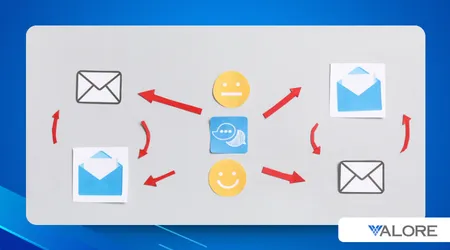
The first step is not to randomly delete accounts, but to perform a clinical diagnosis of the account using the console. Google One, which often reveals unpleasant surprises.
Often, the blame lies not with the thousands of text messages, but with those large attachments we send once and forget in the "Sent" folder.
For clean emails with surgical precision, the command larger:5M Gmail's search engine is your best ally for exposing files that consume megabytes disproportionately.
++Digital privacy news: what changed in 2026
It is curious to note how the trash can is often the great forgotten one; those "deleted" files continue to weigh on its storage quota until their definitive disappearance from the servers is forced.
What strategies are most effective for mass emptying?
Categorical management is the fastest way to immediate relief. The "Promotions" and "Social" tabs are often graveyards of notifications that no longer serve any practical purpose.
Running a bulk cleanup here allows clean emails by thousands in a few seconds, restoring oxygen to the account without the risk of losing high-value work or personal information.
A more incisive technique involves attacking obsolescence through the filter older than 2y. There is something liberating about accepting that a newsletter from two years ago is irrelevant today.
++How to clear WhatsApp cache without losing chats
It's vital to address the root cause: use the "Unsubscribe" link frequently. Cleaning up is helpful, but preventing the problem from getting worse is the only strategy that guarantees long-term sustainability for your cloud.

Comparison of storage consumption by file type
| Content Type | Average Size | Impact on the 15GB | Recommended Action |
| Text-only email | 20 KB – 50 KB | Insignificant | Keep what's essential |
| High-resolution photo | 3 MB – 10 MB | Cumulative | Export to physical disk |
| Short video (HD) | 50 MB – 200 MB | Critical | Delete after download |
| PDF with graphics | 5 MB – 15 MB | Significant | clean emails |
When is it appropriate to use Google One to manage storage space?
Google One functions as a crisis manager. Its cleanup tool automatically suggests which files are "large" or "fuzzy," making an otherwise tedious cleanup process much easier.
If after clean emails The indicator remains in the red zone; the problem is usually hidden in shared Drive files that have become orphaned or duplicated.
++Full inbox: How to empty your email without losing anything important
It is a responsible practice to review these parameters every quarter.
The cloud is convenient, but delegating all our digital memory to an unsupervised algorithm often ends up in avoidable paid subscriptions.
Understanding that Gmail, Photos, and Drive are interconnected is crucial. You can't fix one without looking at the others, since they share the same Google-limited storage ecosystem.
What are the benefits of an inbox zero?
Reaching "Inbox Zero" is not an obsessive goal, but a state of mental clarity that allows you to prioritize what really requires an immediate response or action.
To the clean emails Over time, the internal search tool becomes infinitely more efficient, ceasing to display irrelevant results that only serve to obscure the visibility of critical data.
From a security perspective, a lightweight account is less vulnerable.
Less old data stored means less sensitive information exposed in the event of a security breach on the platform.
Maintaining this order ensures that your mobile device backups run smoothly, protecting your contacts and recent photos without having to deal with low space warnings.
Reflections on digital hygiene
Data cleaning is the modern equivalent of organizing a physical desk; without it, work becomes tedious and the tool ends up dominating the user instead of serving them.
Master the art of clean emails It is, in essence, learning to decide what deserves to be remembered and what should be consigned to oblivion to make room for the new.
Read more: Digital hygiene: the key habit for a healthy relationship with technology
Frequently asked questions about cleaning Gmail
Does deleting emails instantly free up space?
It doesn't happen immediately. Items sent to the trash remain there for thirty days. You must empty it manually if you urgently need to free up storage space to receive new messages.
How can I locate only emails with very large attachments?
Use the syntax has:attachment larger:10M in the search bar. This will isolate the emails that are truly clogging up your account, allowing clean emails with a real impact on the counter.
Is it possible to reverse a permanent deletion?
Once an email is deleted from the trash or the 30-day grace period expires, Google removes it from its active systems, making recovery virtually impossible for the average user.
Does Google Photos storage affect my Gmail?
That's right. For years, Google has unified storage quotas. Any image or video saved to its cloud directly reduces the storage capacity available for sending or receiving emails in Gmail.
\